-
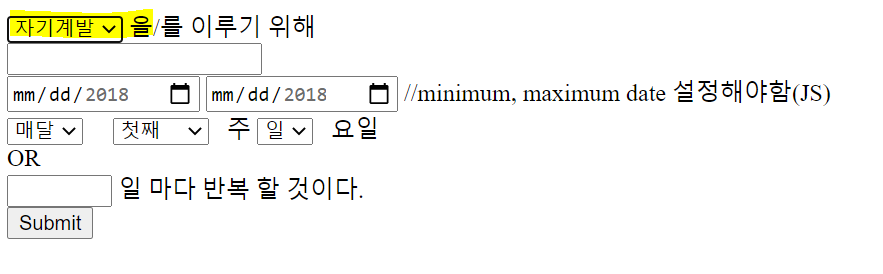
form 태그 완성
(1) js로 미니멈, 맥시멈 일자 설정
(2) js로 기간 달/주/매일 관련해서 view에서 다르게 보이게 하는거 설정 -
navbar HTML가져올 때 load 함수 써서 모든 페이지에 적용하기
14:40pm category(DTO)에서 카테고리명 만 select 태그 안에 보이게 하는거까지 완료
이전에 db연결, dto, mapper 설정은 했으니 생략
1️⃣ Controller
@GetMapping("/index")
public ModelAndView categoryIndex(){
    List<Category> category = categoryService.getAllCategory();  //DB에서 List 모든걸 다 가져온 뒤 List<Category> 타입의 객체로 생성
    ModelAndView modelAndView = new ModelAndView("categoryTest");  //jsp로 따지면 return viewName 이다. templates 폴더 안의 html 명을 명시(확장자는 생략한다)
    modelAndView.addObject("category", category);  //앞서 생성한 List<Category> 객체를 속성으로 추가해줌
    return modelAndView;
}
2️⃣ View
<select name="obSelect" id="obSelect" size="1">
  <option th:each="category: ${category}"
  th:value="${category.categoryName}" th:utext="${category.categoryName}">
  </option>
</select>
th:each="category: ${category}" = category라는 객체의 모든 요소를 category라는 변수를 통해 호출한다.
더 자세한건 https://www.thymeleaf.org/doc/tutorials/3.0/usingthymeleaf.html#a-multi-language-welcome 6-1 참조
먼저 옵션 태그에 th:each="category: ${category}"를 꼭 써준다.
그리고 value, utext도 작성함
category.categoryName = category라는 객체는 DTO인 Category를 통해 데이터를 가져오는 것이므로
category.xxx는 DTO의 멤버변수 이름과 맞아야 잘 가져와진다.
결과
참고자료
https://dkyou.tistory.com/98
https://sujinhope.github.io/2021/03/27/Thymeleaf-3.-Spring-Boot-+-Thymeleaf-CRUD-%EA%B5%AC%ED%98%84%ED%95%98%EA%B8%B0.html#title1
javascript 까먹은게 너무 많아서 기초부터 다시 보는중… 하…