회의때와 다르게 또 생각난게 ob를 입력받기 전 category 지정이 선행되어야한다!
그래서 category 👉 objective 👉 initiative 수정 👉 calendar 순으로 페이지 구성
- ⭐Mypage에서 ob, ini, kr 수정 어떻게 되는지 구상
category
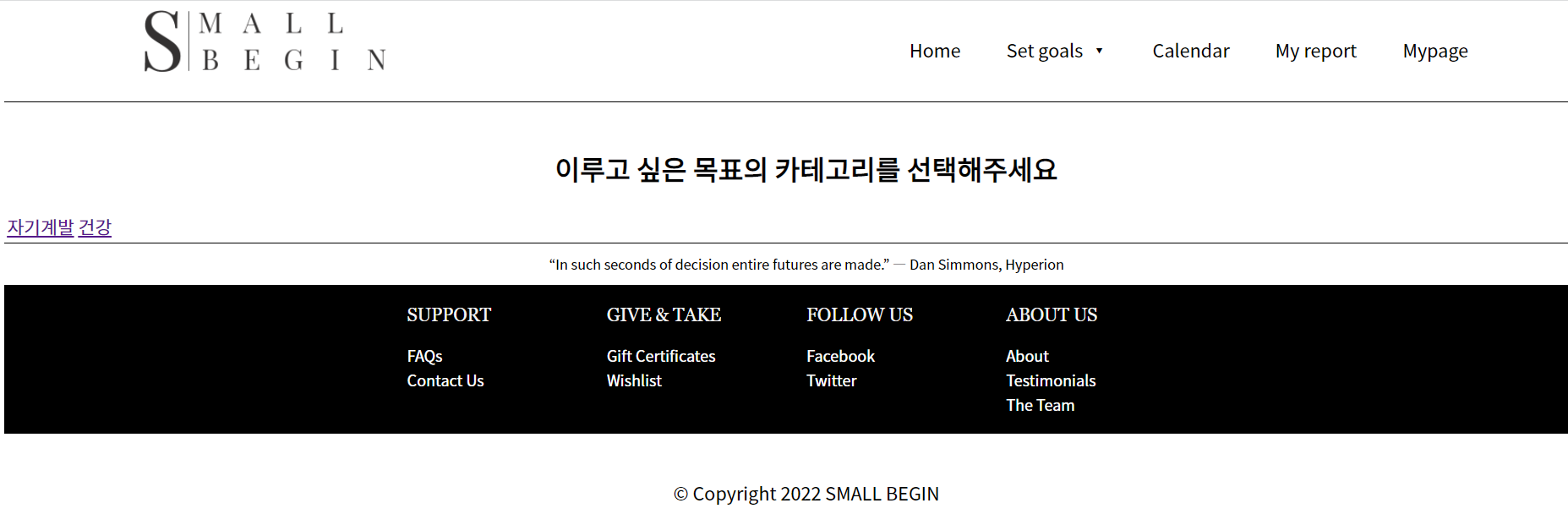 selectAllCategory로 모든 카테고리 가져옴
ajax로 컨트롤러에 카테고리 정보 보내줄까 하다가 request 파라미터로 보내줬다
앞으로 해야할 것
(1) 가운데 정렬
(2) 사용자지정(할지 안할지 모름)
(3) 카테고리별 색상 지정을 해야함
https://github.com/allogrooming/allogrooming.github.io/blob/gh-pages/_posts/2022-02-14-SpringElError.md
objective
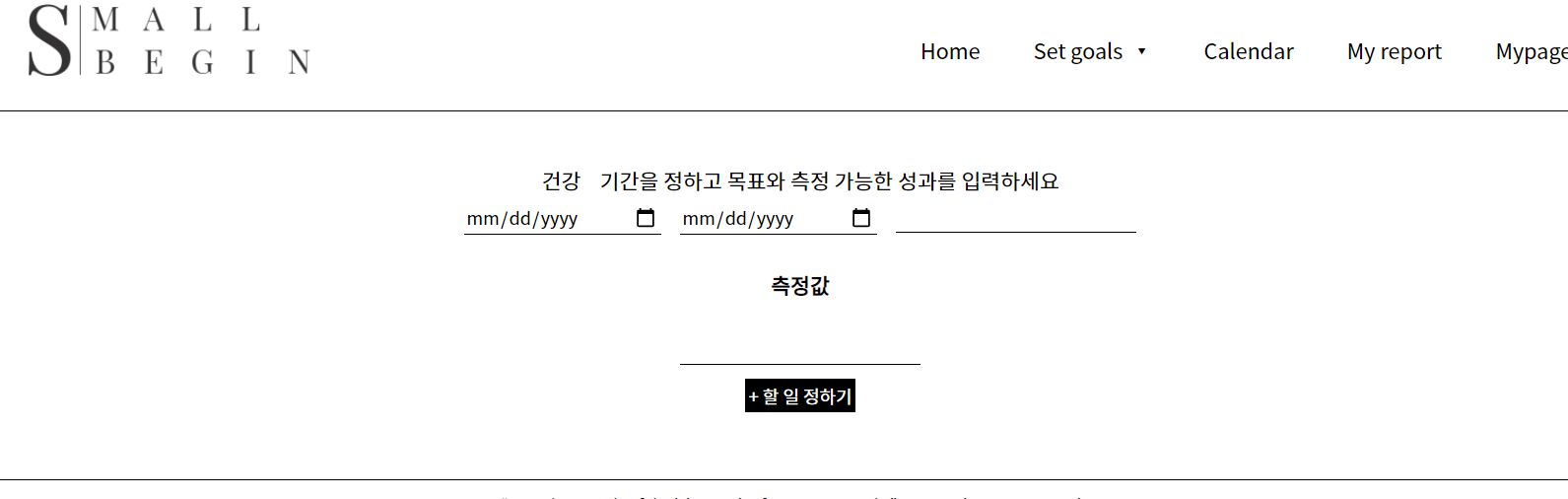 일단 대략적으로 이렇게 정리됨
15일 추가작업
(1) 측정값 최대 3개
(2) 측정값 input에 5글자 이상 들어가면 자동으로 + 버튼 생성
(3) 날짜
측정값 관련
- 추가 아이콘 구글폰트에서 선택
https://developers.google.com/fonts/docs/material_icons
- 적용할 HTML 파일에
<link href="https://fonts.googleapis.com/icon?family=Material+Icons" rel="stylesheet">추가
- CSS 파일에 (common.css)
@font-face {
 font-family: 'Material Icons';
 font-style: normal;
 font-weight: 400;
 src: url(https://example.com/MaterialIcons-Regular.eot); /* For IE6-8 */
 src: local('Material Icons'),
 local('MaterialIcons-Regular'),
 url(https://example.com/MaterialIcons-Regular.woff2) format('woff2'),
 url(https://example.com/MaterialIcons-Regular.woff) format('woff'),
 url(https://example.com/MaterialIcons-Regular.ttf) format('truetype');
}
.material-icons, .material-icons-outlined {
 font-family: 'Material Icons';
 font-weight: normal;
 font-style: normal;
 font-size: 24px;  /* Preferred icon size */
 display: inline-block;
 line-height: 1;
 text-transform: none;
 letter-spacing: normal;
 word-wrap: normal;
 white-space: nowrap;
 direction: ltr;

 /* Support for all WebKit browsers. */
 -webkit-font-smoothing: antialiased;
 /* Support for Safari and Chrome. */
 text-rendering: optimizeLegibility;

 /* Support for Firefox. */
 -moz-osx-font-smoothing: grayscale;

 /* Support for IE. */
 font-feature-settings: 'liga';
}
⭐⭐ 아이콘 클래스명과 css에 기술된 클래스명 다르면 적용 안됨
- 아이콘 HTML에 추가
<span class="material-icons-outlined" id="krAddBtn">add</span>
- 5글자 이상 input에 입력되면 자동으로 + 버튼 옆에 보이게 하기
 $('.keyResult').keyup(function(){
     var keyResult = $(this).val();
     if(keyResult.length > 4){
         btnShow();
     }
 })
+버튼 누를때마다 input, button 생성$('.material-icons-outlined').click(function(){ var krInput = document.getElementsByClassName('.keyResult'); var krbtn = document.getElementsByClassName('material-icons-outlined'); $('#krAdd').append(krInput); $('#krAdd').append(krbtn); })그런데 이렇게하면 최대 3개까지인게 안지켜진다..
        $('#krbtn1').click(function(){
            $('#krAdd2').show();
            $('#krbtn2').hide();
        })

        $('#krbtn2').click(function(){
            $('#krAdd3').show();
            $('#krbtn3').hide();
        })

        $('#krbtn3').click(function(){
            alert("목표값은 최대 3개까지 작성 가능합니다")
        })
if문으로 조건 달아서 hidden 처리한거 보여주는 방식으로 변경
- ajax
     $('#obClick').click(function(){
         readForm('#obForm','/readOBForm');
     })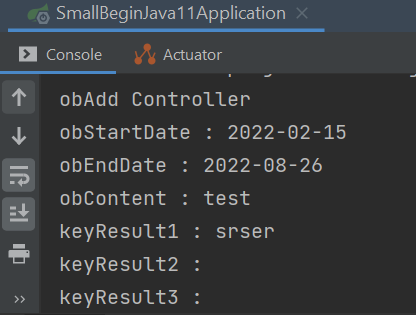
클라이언트에서 받은 값 컨트롤러에 전달까지 👌
- DB에 값 저장 및 initiative 페이지로 이동
 @Transactional
 @RequestMapping(value="/readOBForm", produces="text/html;charset=UTF-8")
 @ResponseBody
 @PostMapping
 public ModelAndView obAdd(@RequestParam Map<String, String> params) throws ParseException {

     System.out.println("obAdd Controller");
     for(String key : params.keySet()){
         System.out.println(key + " : "+params.get(key));
     }

     ModelAndView modelAndView = new ModelAndView("ini");
     //modelAndView.addObject("objective", code4Ob);
     return modelAndView;
 }
ini html을 보여주게 하려는데 안됨